> For the complete documentation index, see [llms.txt](https://wiki.letsterra.com/llms.txt). Markdown versions of documentation pages are available by appending `.md` to page URLs; this page is available as [Markdown](https://wiki.letsterra.com/product-features/analytics-ninja.md).
# 📈 Analytics Ninja
Ask natural language questions about your game — no SQL, no schema headaches.
Visit WebsiteSchedule a demo
### Feature Overview
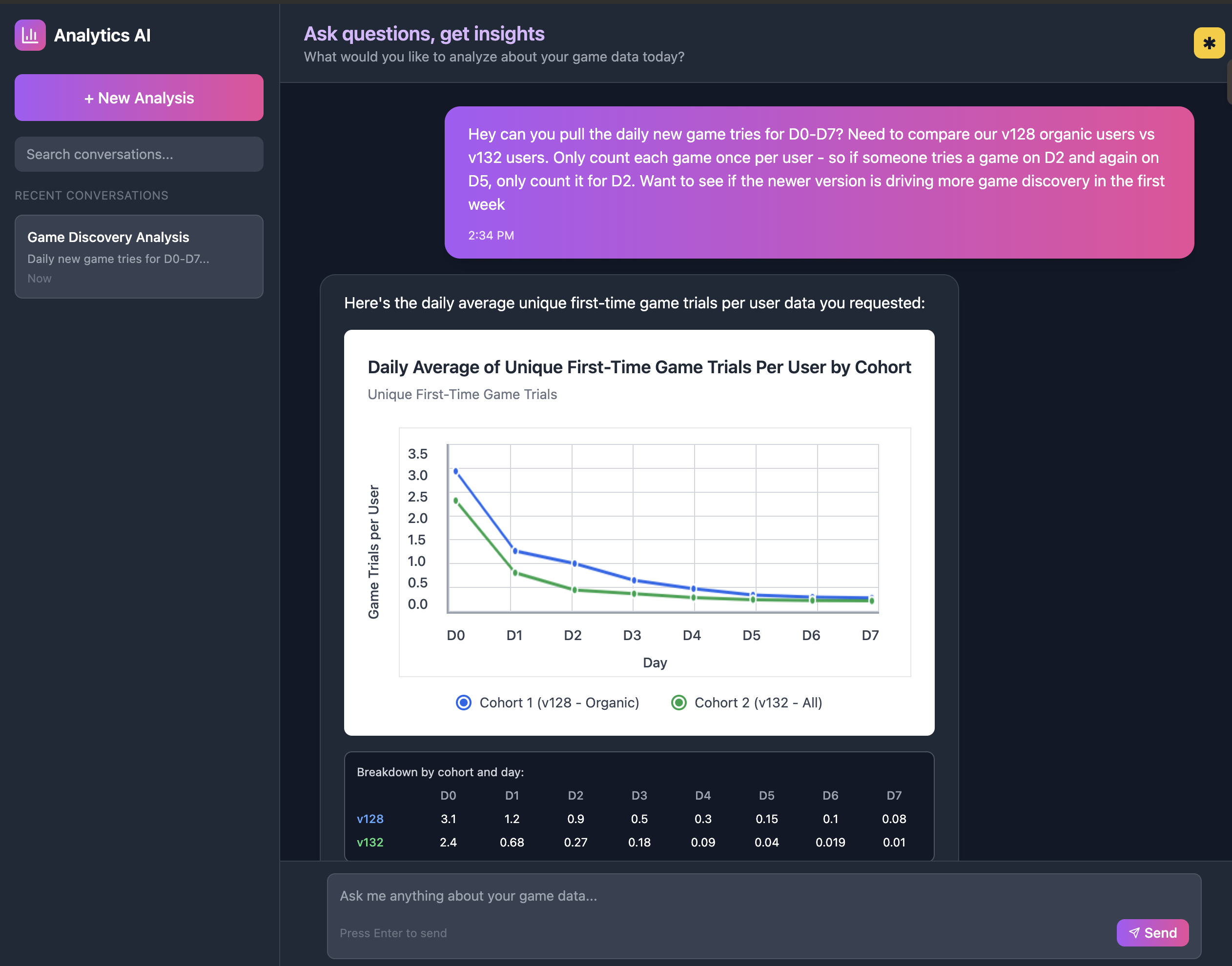
Analytics Ninja transforms game analytics from manual SQL workflows into conversational intelligence**.** Connect your existing analytics platform, ask questions in plain English, and get precise answers with rich visualizations—no code required.
***
### Core capabilities
#### 🧠 **Intelligent Schema Discover:**
Automatically reconstructs your data model and fills knowledge gaps without manual documentation.
#### 🎮 **Gameplay Flow Auto-Detection:**
Discovers user journeys from event sequences - no manual mapping required.
#### 💬 **Conversational Analytics Interface:**
Natural language queries with business context awareness across guided and free-form modes.
#### 🔄 **Persistent Learning & Memory:**
Gets smarter with every interaction, building permanent institutional knowledge.
## User Flow
### Phase 1: Initial Setup
{% stepper %}
{% step %}
**Step 1 : Login with Google ID**
{% endstep %}
{% step %}
**Step 2: Connect to your data source**
* Select analytics platform from visual grid
* Enter platform-specific credentials
* Instant validation and data access confirmation
{% endstep %}
{% step %}
**Step 3: Schema Enhancement (Optional)**
* Upload existing documentation for enhanced accuracy
* Skip to AI-powered analysis if no docs available
* 10-minute processing for automatic schema reconstruction
{% endstep %}
{% step %}
**Step 4 : Allow for data processing**
This may take upto 10 minutes
{% endstep %}
{% endstepper %}
### Phase 2: Resolve ambiguities
{% stepper %}
{% step %}
**Step 1: View all the flagged events & ambiguities**
{% endstep %}
{% step %}
**Step 2: Event Clarification (2-3 minutes)**
* Review 3-5 flagged ambiguous events
* Confirm or correct AI interpretations
{% endstep %}
{% step %}
**Step 3: Provided business and product Context**
* Validate auto-detected game type
* Add optional context (monetization, audience, features)
* Set terminology preferences
{% endstep %}
{% step %}
**Step 4: Validate user journey**
* Review 5-7 auto-discovered gameplay / user journeys
* Edit event sequences as needed
* Approve flows for analysis use
{% endstep %}
{% endstepper %}
### Phase 3: Ask questions & get insights
{% stepper %}
{% step %}
#### **Guided Mode: Step-by-Step Validation**
Best for complex analysis where accuracy is critical and you want to verify each step
How it works:
* AI breaks down your query into logical steps
* Confirms data interpretation and business logic at each stage
* Validates event selection and filtering criteria with you
* Ensures analysis methodology aligns with your expectations before proceeding
{% endstep %}
{% step %}
#### **One Shot Mode: Complete Autonomous Analysis**
Best for well-defined questions where you trust the AI to handle all interpretation and analysis decisions
How it works:
* AI processes your complete query independently
* Makes all data interpretation and methodology decisions automatically
* Delivers comprehensive analysis without intermediate confirmations
* Uses learned business context to resolve ambiguities
{% endstep %}
{% step %}
### Ask any question about your data
Enter your query in plan English.
{% endstep %}
{% step %}
### Get a detailed analysis with visualization
You can follow-up and ask more questions for details
{% endstep %}
{% endstepper %}