> For the complete documentation index, see [llms.txt](https://wiki.letsterra.com/llms.txt). Markdown versions of documentation pages are available by appending `.md` to page URLs; this page is available as [Markdown](https://wiki.letsterra.com/product-features/asset-atlas.md).
# 🗺 Asset Atlas
Unity Project Intelligence for Developers
Asset Atlas is the intelligence layer for your game project — a complete **knowledge graph of every asset, dependency, and system** in your build. It not only answers the “where” and “what” of your assets, but also surfaces the “why” and “how” behind your design choices.
Atlas automatically understands your Unity project so you can ask it questions and get instant answers about your code, assets, and how things connect.
Visit WebsiteSchedule a demo
{% hint style="info" %}
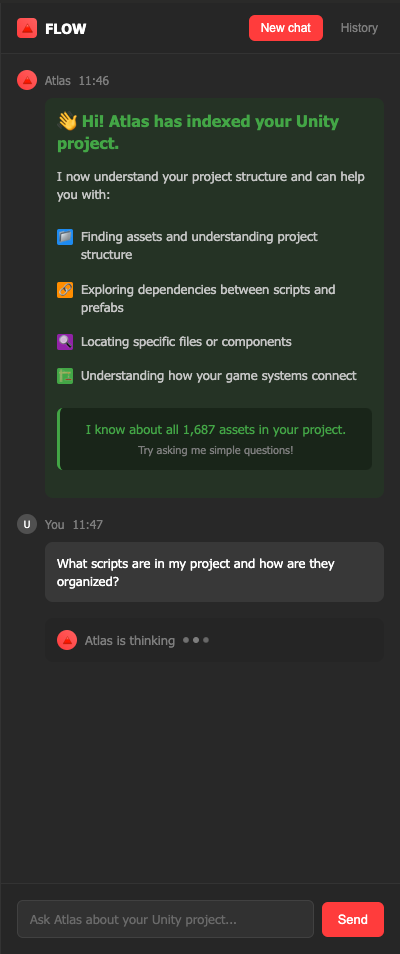
**You ask:** "What scripts are in my project and how are they organized?"
**Atlas answers:** Shows your actual folder structure, script names, and how they relate to each other
{% endhint %}
Asset Atlas makes every project instantly *understandable, navigable, and explainable*.
* **Universal Index**: Every asset, script, prefab, shader, and UI element automatically indexed and mapped.
* **Semantic Queries**: Ask in natural language and receive precise answers (dependencies, unused assets, performance bottlenecks, etc.).
* **System Summaries**: Auto-generate high-level views of game flows, progression, monetization, and analytics.
* **Design Intelligence**: Turn raw technical data into Game Design Document (GDD)-quality outputs.
* **Cross-Team Utility**: Developers see references & performance issues, designers see economy balance & progression flows, producers see status and risks.
### How Atlas Works
{% stepper %}
{% step %}
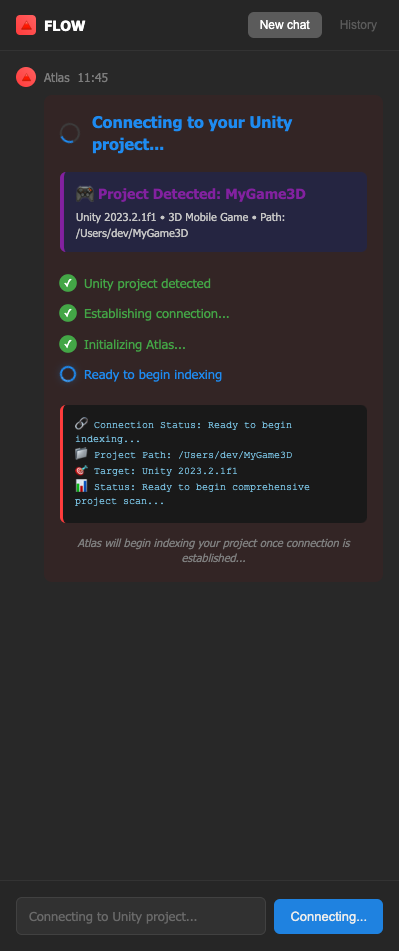
#### **Automatic Connection**
Atlas detects your Unity project when you open Flow. No setup required.
*What you see:* Project name, Unity version, connection progress
{% endstep %}
{% step %}
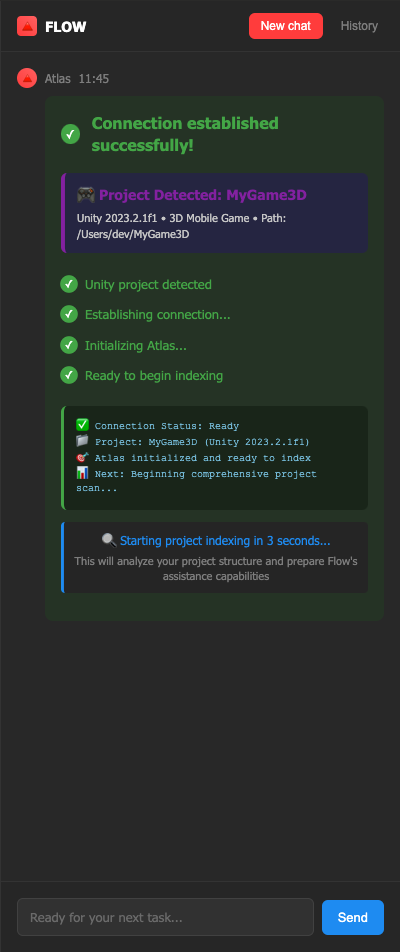
#### **Project Indexing**
*What you see:*
* Real-time progress (scripts, prefabs, textures being processed)
* File names streaming by as they're analyzed
* "Indexing complete" when done
{% endstep %}
{% step %}
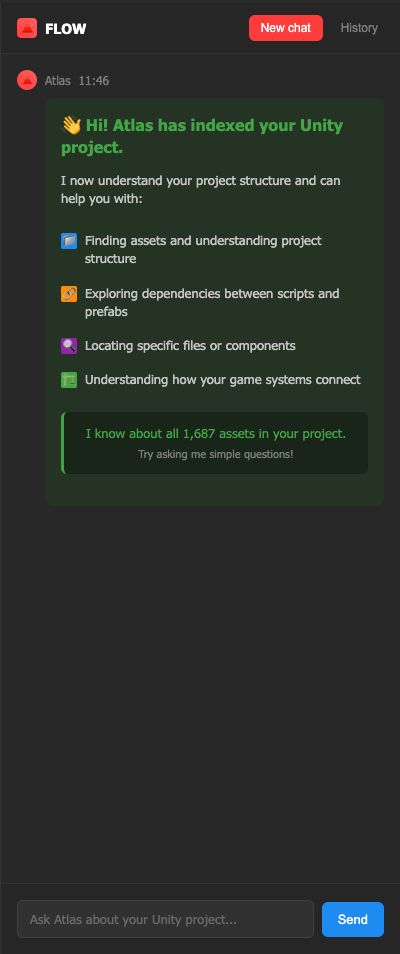
#### **Ready to Chat**
Atlas scans through all your files to understand your project structure and once done, chat input becomes active. Atlas now knows about every asset in your project.
*What you see:* "Atlas is ready! Ask me anything about your project."
{% endstep %}
{% step %}
#### **Ask Questions**
Type normal questions about your project in the chat &
{% endstep %}
{% step %}
#### **Get smart answers**
Atlas responds with specific information about *your* project.
{% endstep %}
{% endstepper %}
### Technical Notes
**No Setup Required**
* Automatically connects to your Unity project
* Read-only access (never modifies your files)
* Works in background without affecting Unity
**Project Coverage**
* Indexes all scripts, prefabs, textures, materials
* Maps dependencies and relationships
* Updates automatically when you make changes
*Atlas is part of Flow - the Unity-native AI copilot for LiveOps teams. No coding required, just natural conversation about your Unity project.*